

Contractor Portal
New Contractor Tool
Try the Flash-Tech Contractor Portal
Install it on your phone, tablet, or computer in seconds. No app store required.
What You Can Do
Build Custom Flashings, Get Pricing, and Submit Orders Faster.
The Flash-Tech Contractor Portal gives roofing contractors a faster way to build custom flashings, browse products, request quotes, and place orders. Create a free account in seconds and manage everything from one convenient dashboard.
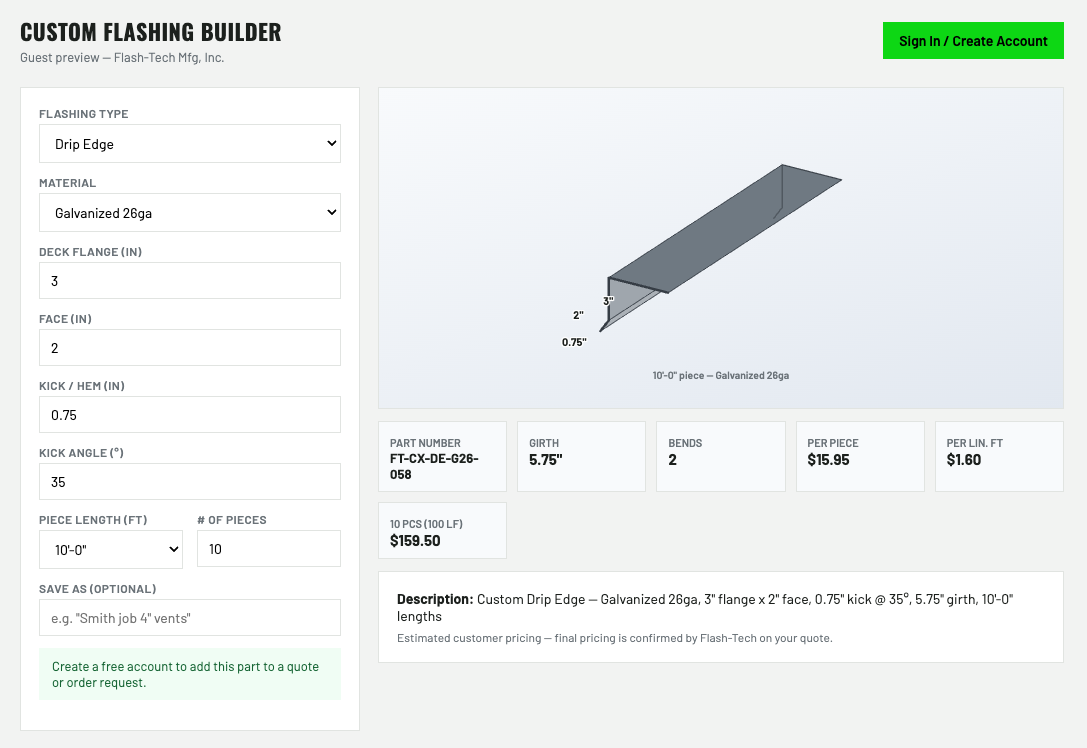
Custom Flashing Builder
Enter your dimensions and material to generate a 3D model, part number, description, and pricing. Build pipe boots, square and mitered wraps, drip edge, coping, gravel stop, valleys, scuppers, and more.
Full Parts Catalog
Browse the complete Flash-Tech product catalog with current pricing for boots, drains, vents, sealant pockets, corners, accessories, and more. Add exactly what you need to your quote or order request.
Quotes & Orders
Add parts to your cart and submit a quote or order request with your job name, PO number, and required completion date. Requests are sent directly to the Flash-Tech team for review.
Print & Track
Save or print quotes as a PDF, communicate directly with our team, and track the status of every quote and order request from one convenient dashboard.
Install the app

iPhone & iPad
- Open flashtech-contractor-portal.vercel.app in Safari.
- Tap the Share button (the square with an up-arrow) at the bottom.
- Scroll down and tap Add to Home Screen.
- Tap Add. The green FT icon appears on your home screen.
Android
- Open flashtech-contractor-portal.vercel.app in Chrome.
- Tap Install when Chrome pops up the install banner.
- No banner? Tap the ⋮ menu → Install app (or Add to Home screen).
- Tap Install to confirm.
Computer (Win / Mac)
- Open the portal in Chrome or Edge.
- Click the install icon in the address bar (a small monitor / ⊕ icon).
- Click Install.
- It opens in its own window and lands on your desktop / taskbar.